Modelled thermal performance and sustained processor power of the Thinvent Neo H Mini PC
Will the Neo H run on your office desk, workstation or server shelf?
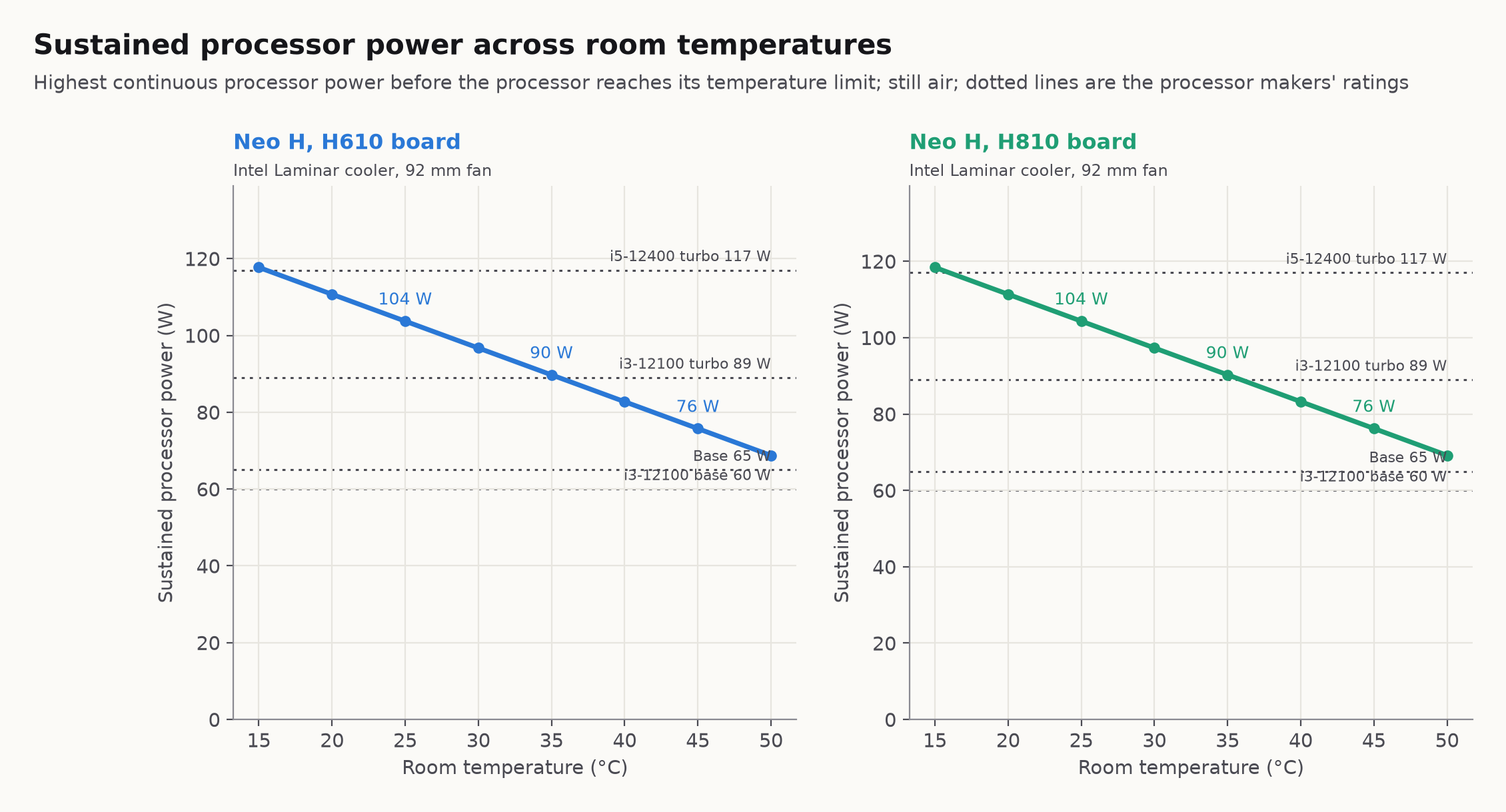
- Intel Core i3-12100: Runs continuously at its 60 W base power in rooms up to 50 °C. It runs continuously at its 89 W maximum turbo power in a 25 °C room.
- Intel Core i5-12400: Runs continuously at its 65 W base power in rooms up to 50 °C. Its maximum turbo rating is 117 W. On a continuous load above 104 W at 25 °C, the processor lowers its power consumption to 104 W. This keeps the processor at its 100 °C temperature limit.
- 13th generation Intel Core i5: Runs continuously at its 65 W base power in rooms up to 50 °C. Continuous power reaches 104 W at 25 °C and 69 W at 50 °C at the 100 °C processor limit.
- 13th generation Intel Core i7: Runs continuously at its 65 W base power in rooms up to 50 °C. Continuous power reaches 104 W at 25 °C and 69 W at 50 °C at the 100 °C processor limit.
- 14th generation Intel Core i5: Runs continuously at its 65 W base power in rooms up to 50 °C. Continuous power reaches 104 W at 25 °C and 69 W at 50 °C at the 100 °C processor limit.
- 14th generation Intel Core i7: Runs continuously at its 65 W base power in rooms up to 50 °C. Continuous power reaches 104 W at 25 °C and 69 W at 50 °C at the 100 °C processor limit.
- Intel Core Ultra 5 225: Runs continuously at its 65 W base power in rooms up to 50 °C. Continuous power reaches 104 W at 25 °C and 69 W at 50 °C at the 100 °C processor limit.
- Intel Core Ultra 7 265: Runs continuously at its 65 W base power in rooms up to 50 °C. Continuous power reaches 104 W at 25 °C and 69 W at 50 °C at the 100 °C processor limit.
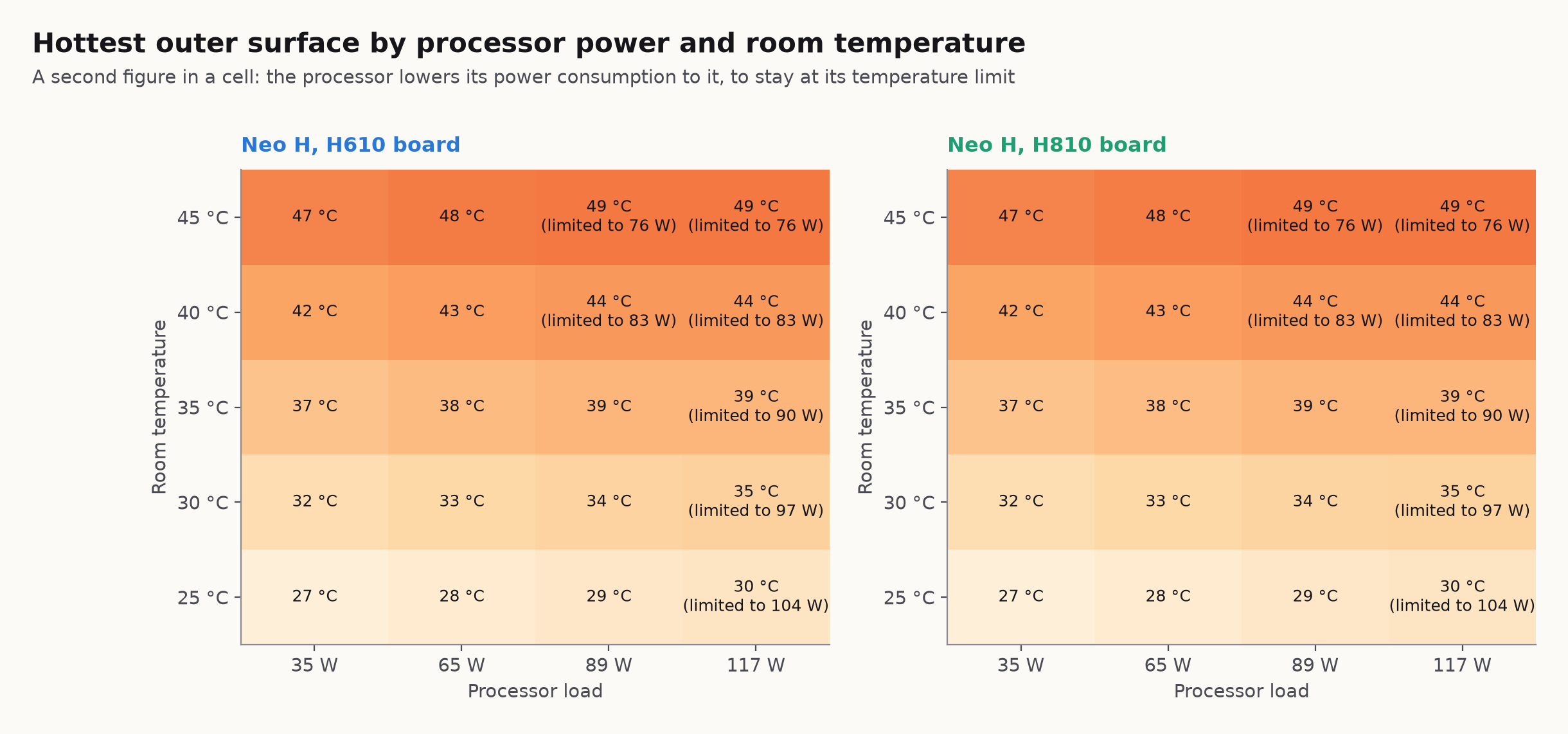
- Warmer rooms and heavy loads: In warmer rooms, the processor boosts for short bursts. On a continuous heavy load, the processor lowers its power consumption to stay at its 100 °C temperature limit.
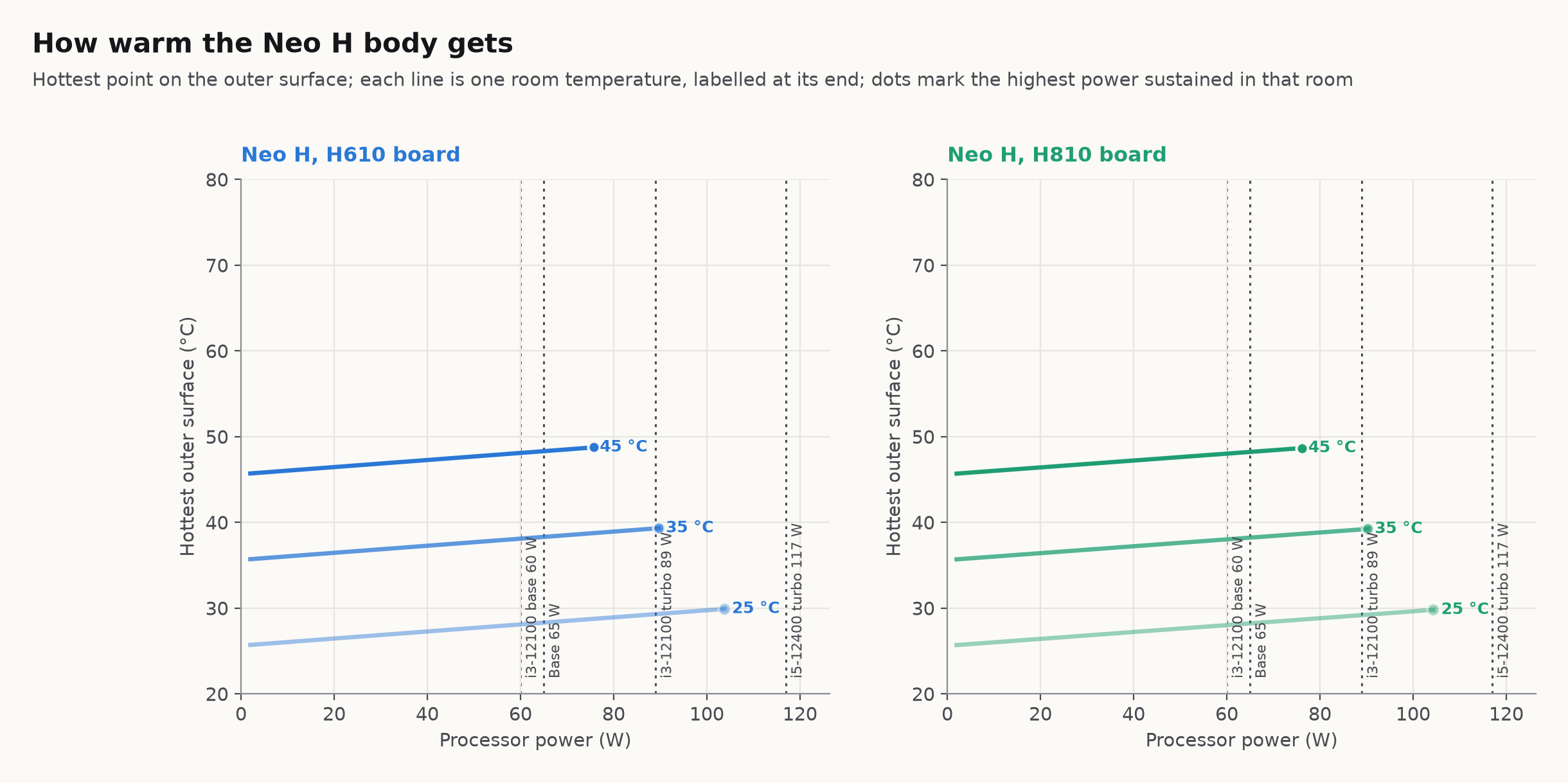
- Outer surface temperature: The outer surface stays 3 to 4 °C above room temperature across the operating range. It reaches 28 °C at 65 W in a 25 °C room.
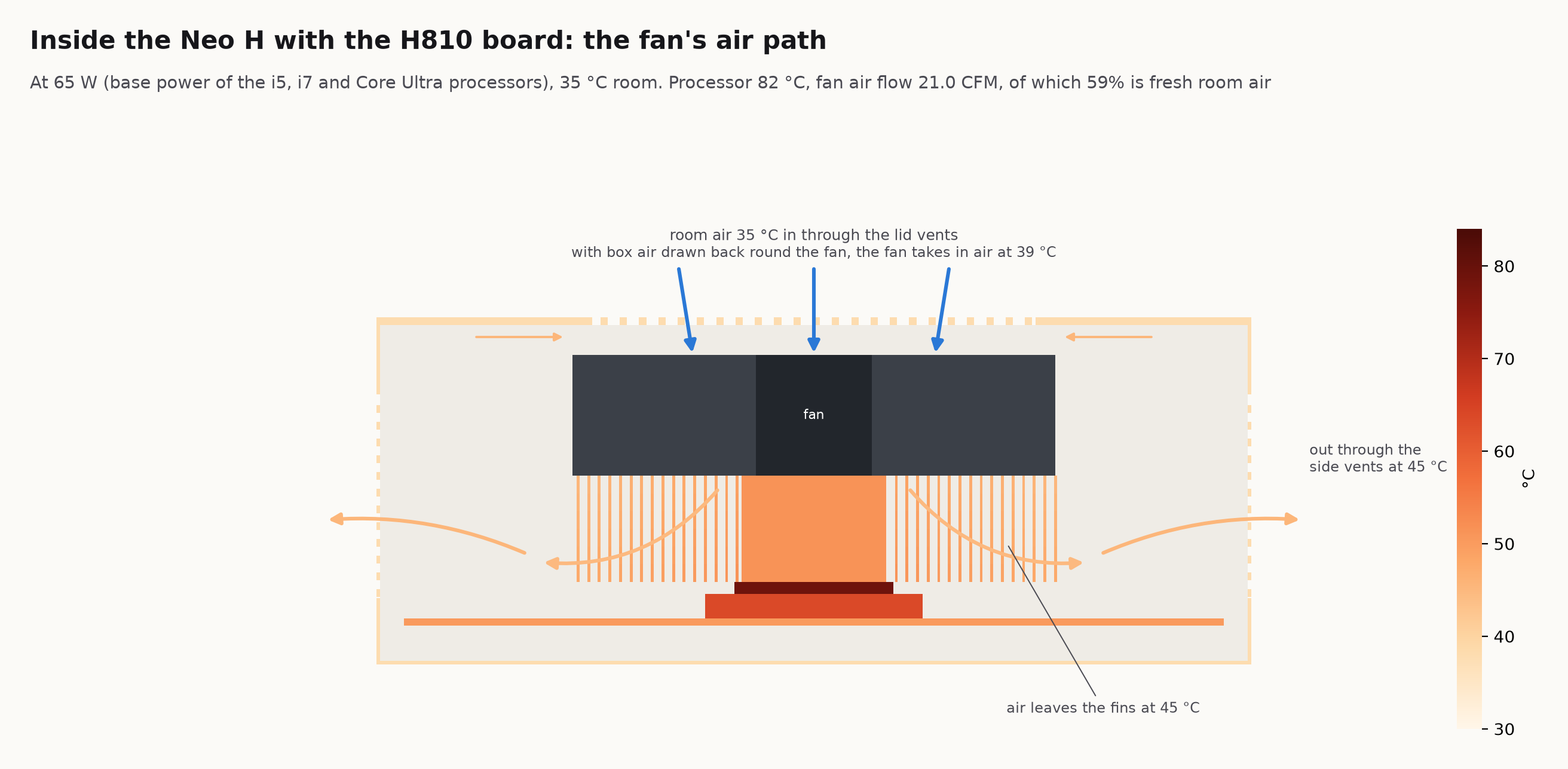
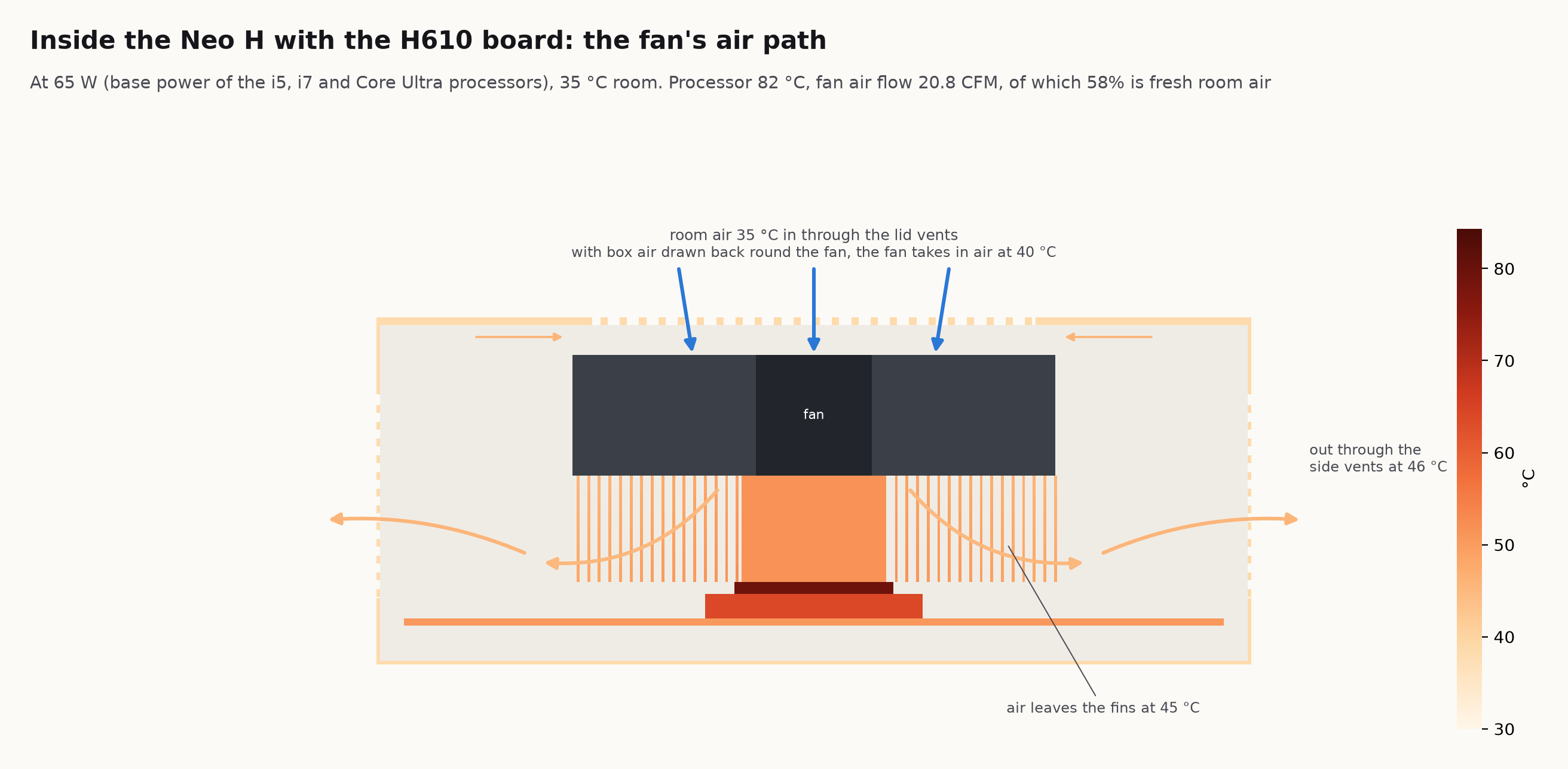
- Airflow and placement: Room air enters through the hex vents in the aluminium top lid. Warm air leaves through both perforated steel side walls. Keep the top lid and both side walls uncovered.
Sustained processor power across room temperatures
How warm the Neo H body gets
Hottest outer surface by processor power and room temperature
Inside the Neo H with the H610 board: the fan's air path
Inside the Neo H with the H810 board: the fan's air path