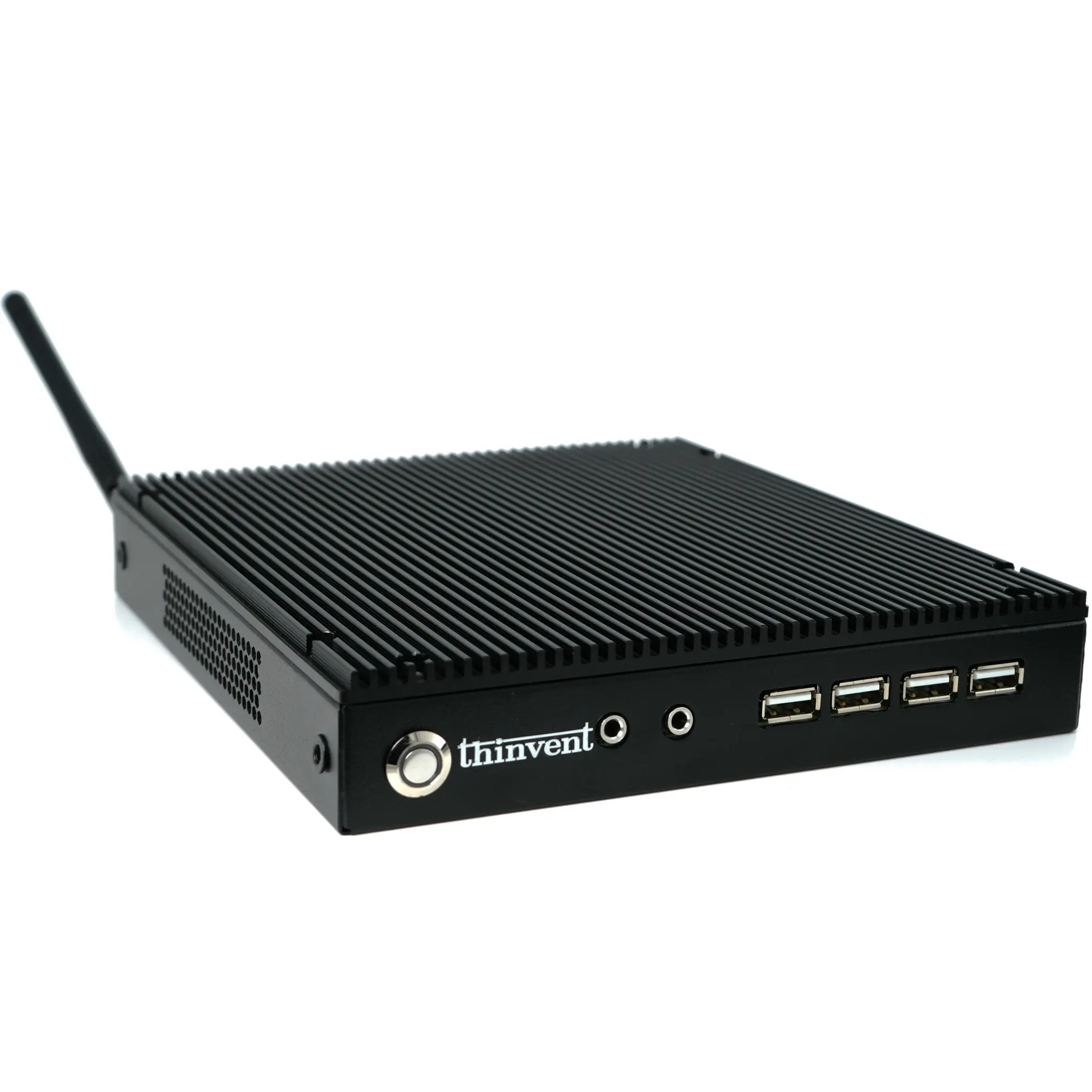
A computer desktop, in the modern context, refers to a complete personal computing system. While traditional tower desktops are still prevalent, the market has evolved significantly to include space-saving, energy-efficient, and highly versatile alternatives like Mini PCs and All-in-One computers. These systems provide the full functionality of a desktop computer in a much smaller form factor, making them ideal for environments where space, power consumption, and aesthetics are important considerations.
Key Specifications and Technical Details
Modern compact desktops are built around efficient processors from brands like Intel, featuring multi-core CPUs such as the Intel N100. Key specifications to evaluate include:
-
Processor: Multi-core CPUs (e.g., 4-core) with high clock speeds (up to 3.4 GHz) for smooth multitasking.
-
Memory (RAM): 8GB to 16GB of DDR4 RAM is standard for general office and home use, ensuring responsive performance.
-
Storage: Solid State Drives (SSDs) with capacities like 128GB or 256GB offer fast boot times and application loading.
-
Connectivity: Essential ports include multiple USB 3.2 ports, HDMI for display output, and Gigabit Ethernet for reliable wired networking.
-
Operating System: Options typically include Windows 11 Pro for a familiar environment, or Linux distributions like Ubuntu for open-source flexibility.
Ideal Use Cases and Applications
These compact desktops are perfectly suited for a wide range of applications beyond the traditional office. Their fanless, silent operation and small footprint make them highly adaptable.
-
Home Office & Productivity: Perfect for web browsing, document editing, video conferencing, and managing personal finances.
-
Digital Signage & Kiosks: Their reliability and small size allow them to be discreetly mounted behind displays in retail stores, restaurants, or public information points.
-
Lightweight Creative Work: Capable of handling photo editing, basic graphic design, and streaming media.
-
Education and Learning: An excellent choice for computer labs or home learning stations due to their low power draw and minimal noise.
Comparison: Mini PC vs. Traditional Desktop
| Feature | Modern Mini PC | Traditional Tower Desktop |
|---|---|---|
| Form Factor | Extremely compact, often fanless | Large, requires significant desk or floor space |
| Power Consumption | Very low, energy-efficient | Higher, especially with dedicated graphics |
| Noise Level | Silent (fanless) or very quiet | Can be noisy due to cooling fans |
| Portability | Highly portable, easy to relocate | Generally stationary |
| Performance Profile | Efficient for daily tasks, multimedia, light workloads | High performance for gaming, video editing, 3D rendering |
| Typical Use | Home, office, digital signage, embedded systems | Gaming rigs, workstations, servers |
Thinvent Compact Desktop Solutions
Thinvent specializes in robust, industrial-grade computing solutions that bring professional reliability to everyday desktop scenarios. Our range of compact systems, like the Aero Mini PC series, exemplifies this approach. Built with the efficient Intel N100 processor, these units offer a balance of performance and efficiency in a silent, fanless chassis. They come configured with ample DDR4 RAM and fast SSD storage, supporting various operating systems to match your software needs. Whether for a clutter-free home office, a point-of-sale terminal, or an educational tool, Thinvent's desktops are engineered for durability and consistent operation in diverse environments.