Understanding the Precision Tower Workstation
The Dell Precision 3660 Tower Workstation is a professional-grade desktop designed for demanding tasks such as 3D modeling, engineering simulation, data analysis, and content creation. It is part of the Dell Precision series, which Wikipedia notes has been a staple in workstation computing since the late 1990s, offering configurations with Intel Xeon or Core processors, ECC memory, and professional-grade GPUs. The 3660 model typically features a compact tower form factor, supporting high-core-count CPUs, substantial RAM (often up to 128GB or more), and multiple storage drives, making it suitable for CAD, scientific computing, and virtualization.
While the Precision 3660 is a capable machine, its traditional tower design and reliance on active cooling can be limiting in space-constrained or harsh environments. Additionally, the cost of entry for a fully configured workstation can be high, especially when equipped with Xeon processors and professional graphics cards. For users who need reliable performance but can work within a more compact, energy-efficient, or fanless footprint, alternative solutions offer compelling value.
Key Specifications and Use Cases
Typical specifications for a Precision 3660 Tower Workstation include:
-
Processor: Intel Core i7/i9 or Xeon (12th/13th Gen), with high core counts (8-16+ cores)
-
Memory: 16GB to 128GB DDR5 ECC or non-ECC RAM
-
Storage: M.2 NVMe SSDs + SATA HDDs, often in RAID configurations
-
Graphics: NVIDIA RTX A-series or AMD Radeon Pro professional GPUs
-
Form Factor: Tower (mini, mid, or full), requiring dedicated desk or floor space
Use cases for this class of workstation include:
-
Architecture & Engineering: Running AutoCAD, SolidWorks, Revit, or ANSYS
-
Media & Entertainment: Video editing (Adobe Premiere, DaVinci Resolve), 3D rendering (Blender, Maya)
-
Data Science: Machine learning model training, large dataset analysis
-
Virtualization: Running multiple VMs for development or testing
Comparison: Tower Workstation vs. Thinvent Alternatives
| Feature | Precision 3660 Tower | Thinvent Aero Mini PC (Example) |
|---|---|---|
| Form Factor | Tower (large footprint) | Mini PC (ultra-compact) |
| Cooling | Active (fans) | Fanless (passive) |
| Power Consumption | 250W-500W+ | ~20W (low power) |
| Processor | Intel Core i7/i9/Xeon | Intel N100 (efficient) |
| Max RAM | 128GB+ | 16GB (in sample) |
| Noise Level | Audible fans | Silent |
| Typical Use | Heavy rendering, simulation | Light CAD, office, signage, thin client |
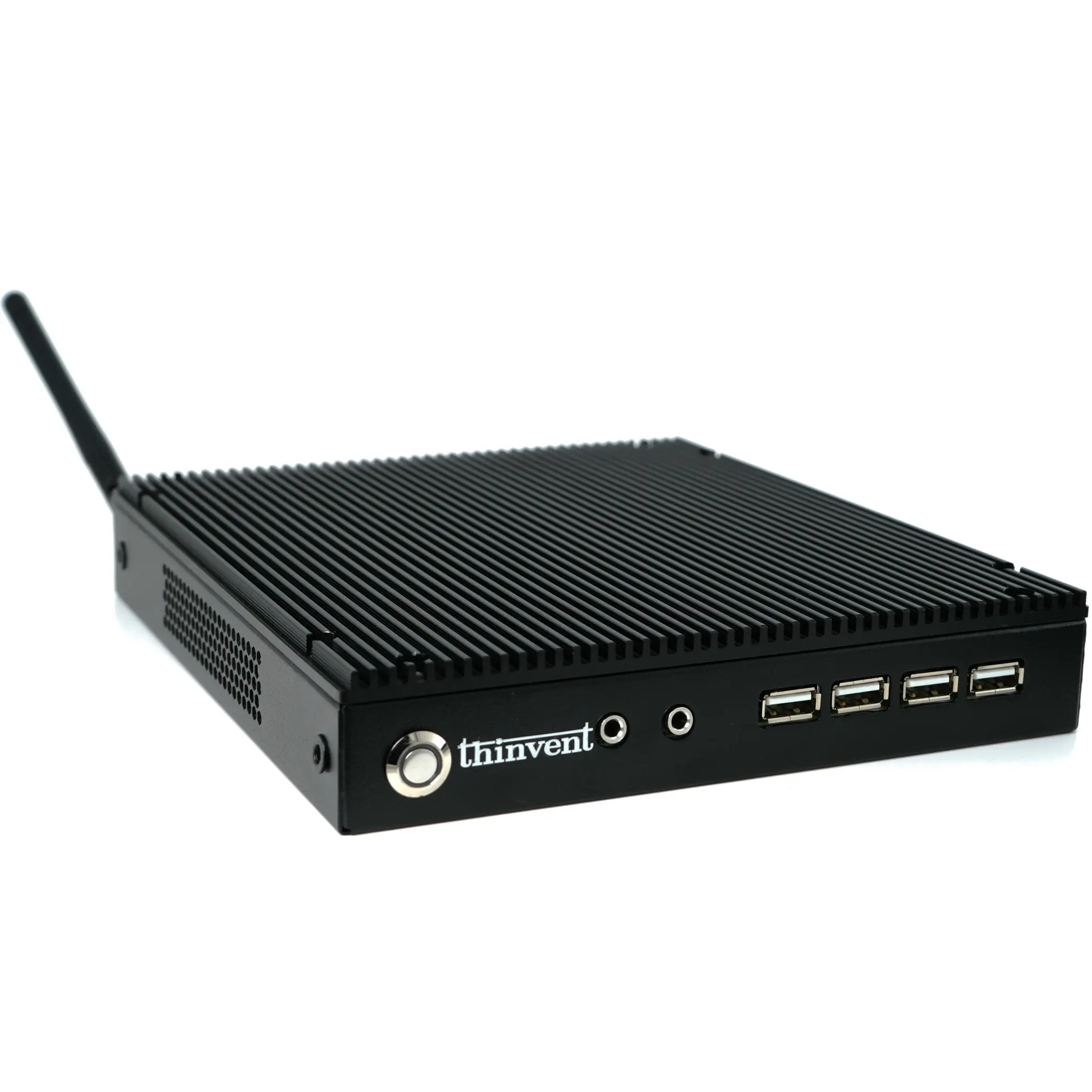
For users whose workloads are less GPU-intensive or who prioritize silent operation, low power, and small size, Thinvent’s mini PCs offer a practical alternative. They are ideal for digital signage, kiosks, light office tasks, and as thin clients connecting to remote workstations.
Thinvent Products Featuring This Technology
Thinvent offers a range of compact, fanless mini PCs that serve as efficient alternatives to traditional tower workstations for many professional applications. The Thinvent Aero Mini PC, powered by an Intel N100 processor (4 cores, up to 3.4 GHz), provides reliable performance for everyday computing, point-of-sale systems, and embedded applications. With 16GB DDR4 RAM and 128GB SSD storage, it handles multitasking and light design work smoothly. Its fanless design ensures silent operation and long-term reliability in dusty or hot environments.
For more demanding tasks, Thinvent also produces industrial PCs and all-in-one systems with higher-performance Intel Core i3/i5/i7 processors, supporting up to 64GB RAM and multiple display outputs. These can be configured to replace traditional tower workstations in space-limited settings such as medical carts, factory floors, or retail counters, while still offering the stability and professional-grade build required for 24/7 operation.