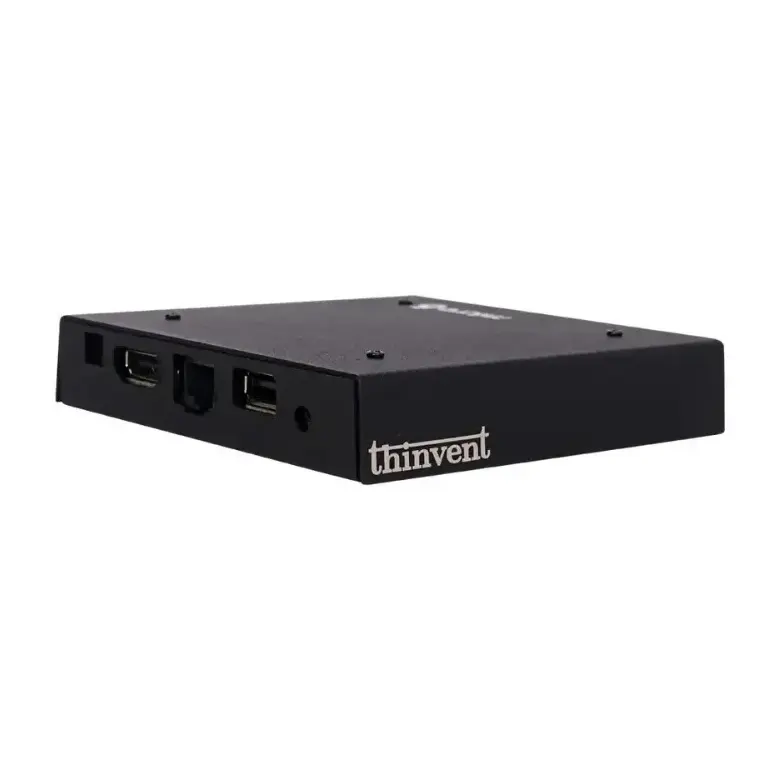
The Igel M340C is a compact thin client with an Intel Celeron J1900 quad-core processor, up to 2 GB RAM, up to 4 GB flash storage, optional WiFi, and IGEL Linux OS. The closest Thinvent match is the Thinvent Neo S Thin Client, which uses the same Intel Celeron J1900 processor and has more RAM and storage, with a fanless design.
Igel M340C vs Thinvent Neo S Thin Client
| Igel M340C | Thinvent Neo S Thin Client | |
|---|---|---|
| Processor | Intel Celeron J1900 | Intel Celeron J1900 |
| Cores/Threads | 4 cores | 4 cores, up to 2.4 GHz |
| RAM | Up to 2 GB | 4 GB |
| Storage | Up to 4 GB flash | 128 GB SSD |
| Form Factor | Thin Client | Thin Client |
| Operating System | IGEL Linux OS | Ubuntu Linux 24.04 LTS (also Windows 11 Pro, Windows 11 IoT, Thinux™ Embedded Linux, Without OS, DOS) |
| WiFi | Optional | No WiFi |
| Displays | 2 (DVI-D and DisplayPort) | 2 (HDMI and VGA) |
Key differences
-
Storage: The Thinvent Neo S Thin Client has a 128 GB SSD. The Igel M340C has up to 4 GB flash storage.
-
Memory: The Thinvent Neo S Thin Client has 4 GB RAM. The Igel M340C has up to 2 GB RAM.
-
Operating system choice: The Thinvent Neo S Thin Client ships with Ubuntu Linux 24.04 LTS and can also run Windows 11 Pro, Windows 11 IoT, Thinux™ Embedded Linux, or no OS. The Igel M340C runs IGEL Linux OS.
-
Same processor: Both products use the Intel Celeron J1900 quad-core processor.
-
Wireless: The Igel M340C has optional WiFi. The Thinvent Neo S Thin Client has no WiFi, so choose it when wired Gigabit Ethernet is sufficient.
-
Cooling: The Thinvent Neo S Thin Client uses fanless passive cooling.
-
Display outputs: The Igel M340C uses DVI-D and DisplayPort. The Thinvent Neo S Thin Client uses HDMI and VGA.
Which one should you choose?
Choose the Igel M340C if you need an IGEL-managed endpoint with optional WiFi and DisplayPort output. Choose the Thinvent Neo S Thin Client if you need more RAM and SSD storage, a choice of operating systems, and a fanless design with wired Ethernet.